How it works
Four environments, one test.
From the first question to the mark: here is what you do in each one.
1 · Start
Start from what you have.
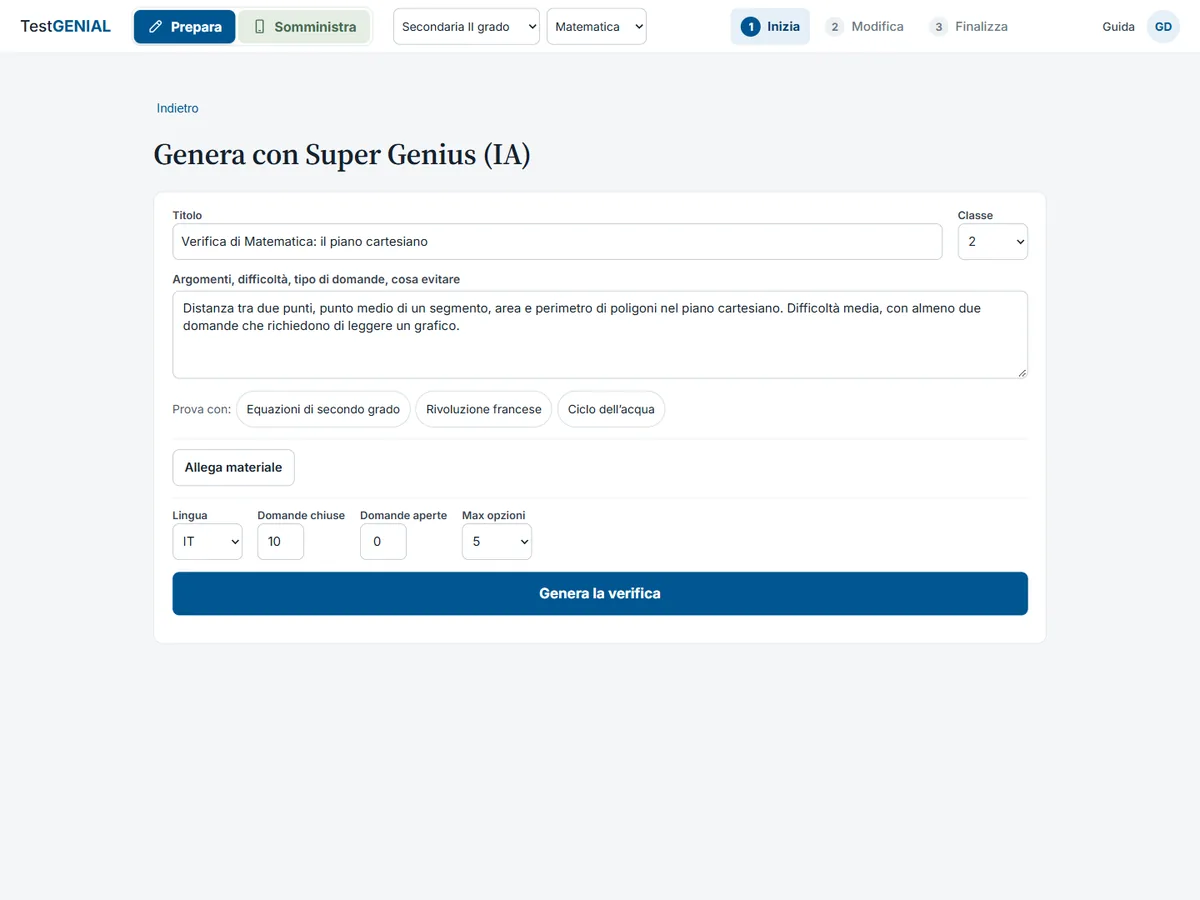
Choose where to begin: from your materials, from a test you already have, or from scratch.
- Generate with Super Genius (AI): give a title, class and instructions, or attach your material.
- Import an existing test from PDF, Word, Moodle or an image.
- Start from a blank test.
- Reopen a saved .tgen file.
2 · Edit
Review and refine.
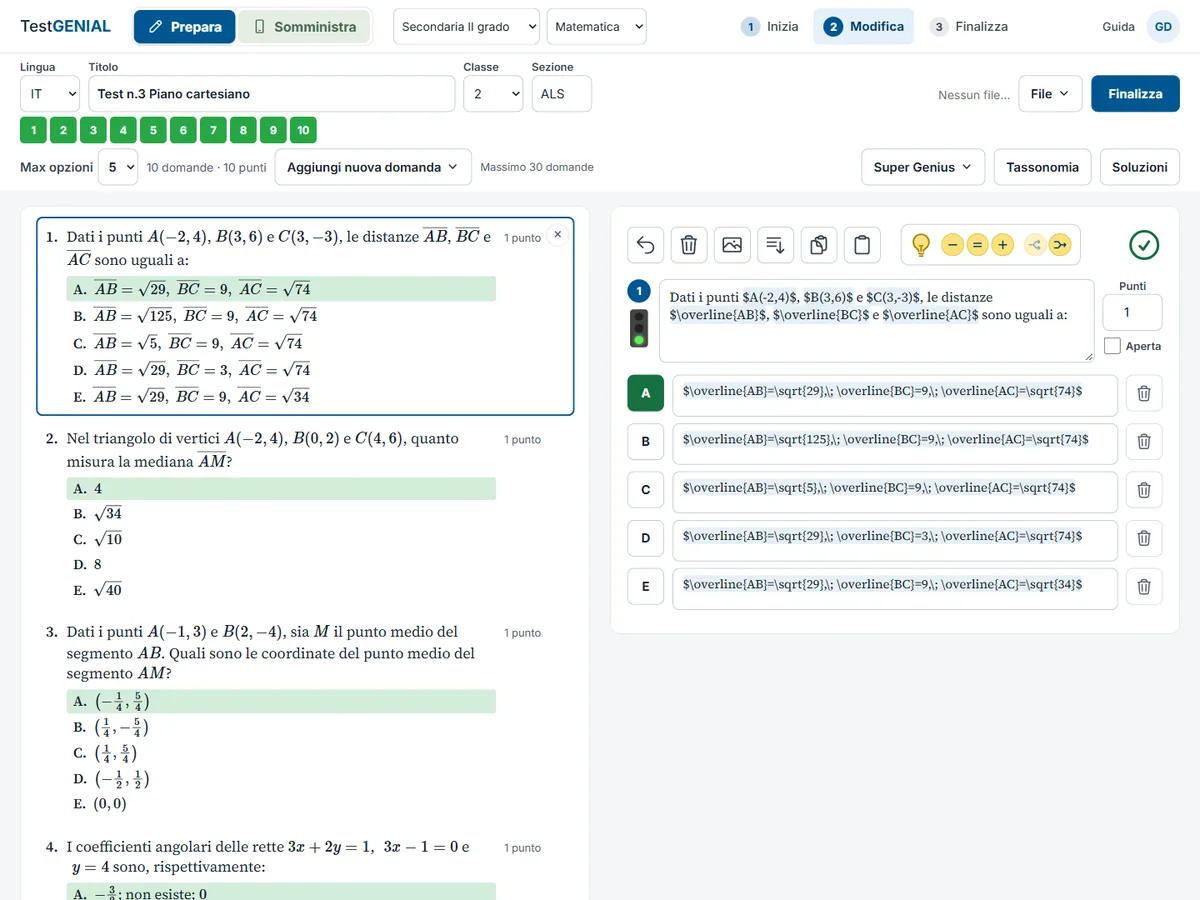
Every question can be checked and edited, with AI available when you need it.
- Write a question from scratch or add one with Genius or from the catalogue.
- The Genius button completes automatically what you need at that moment.
- Insert images or take a photo; split, merge and approve questions.
- Generate the solutions automatically, exportable as PDF; check the taxonomy of the questions.
3 · Finalize
Choose format and layout.
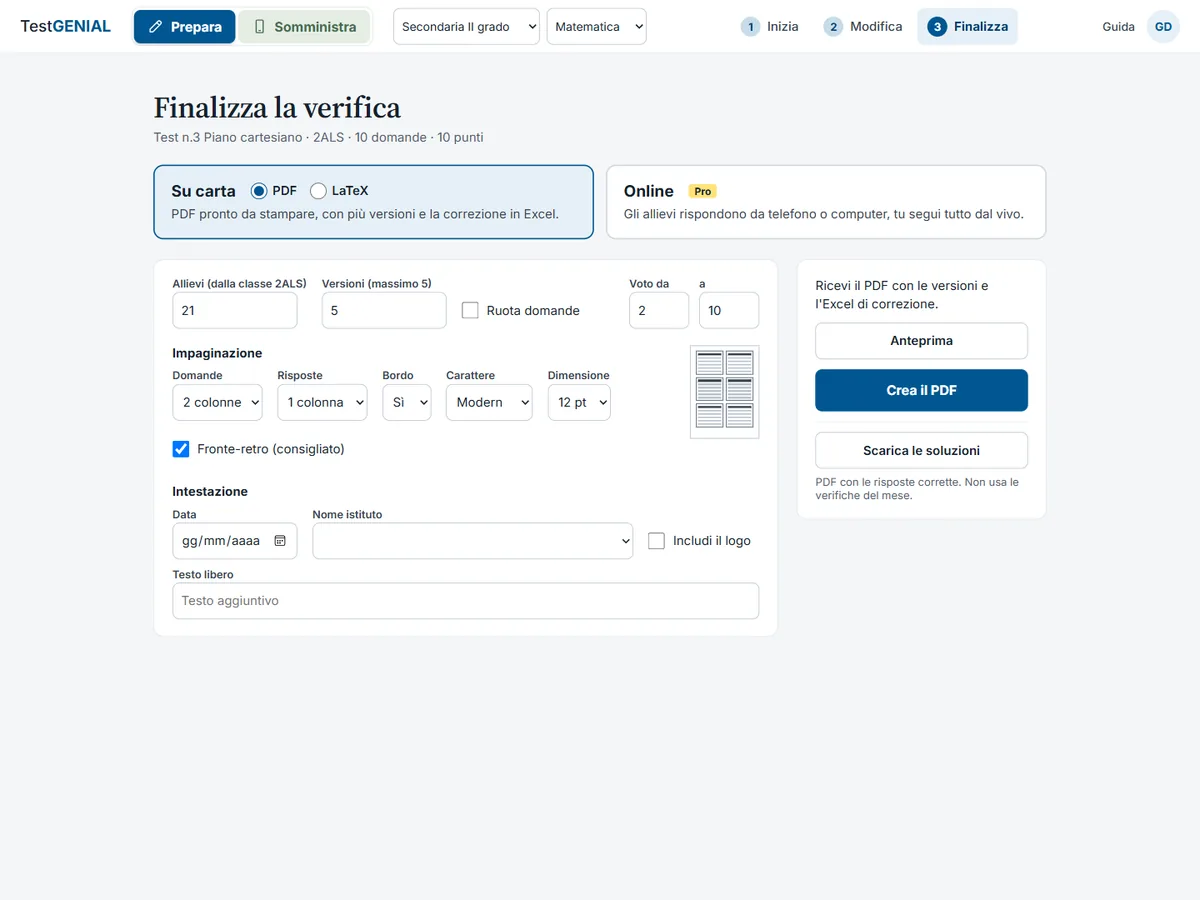
From the same test you get the PDF to print or the online test.
- On paper: PDF or LaTeX file, with several versions and rotated questions.
- Layout as you like: columns, border, font, double-sided, header with logo and school.
- Check the preview before creating the PDF, and download the solutions.
- Online: one click to generate the test to deliver.
4 · Deliver
Follow the test and grade.
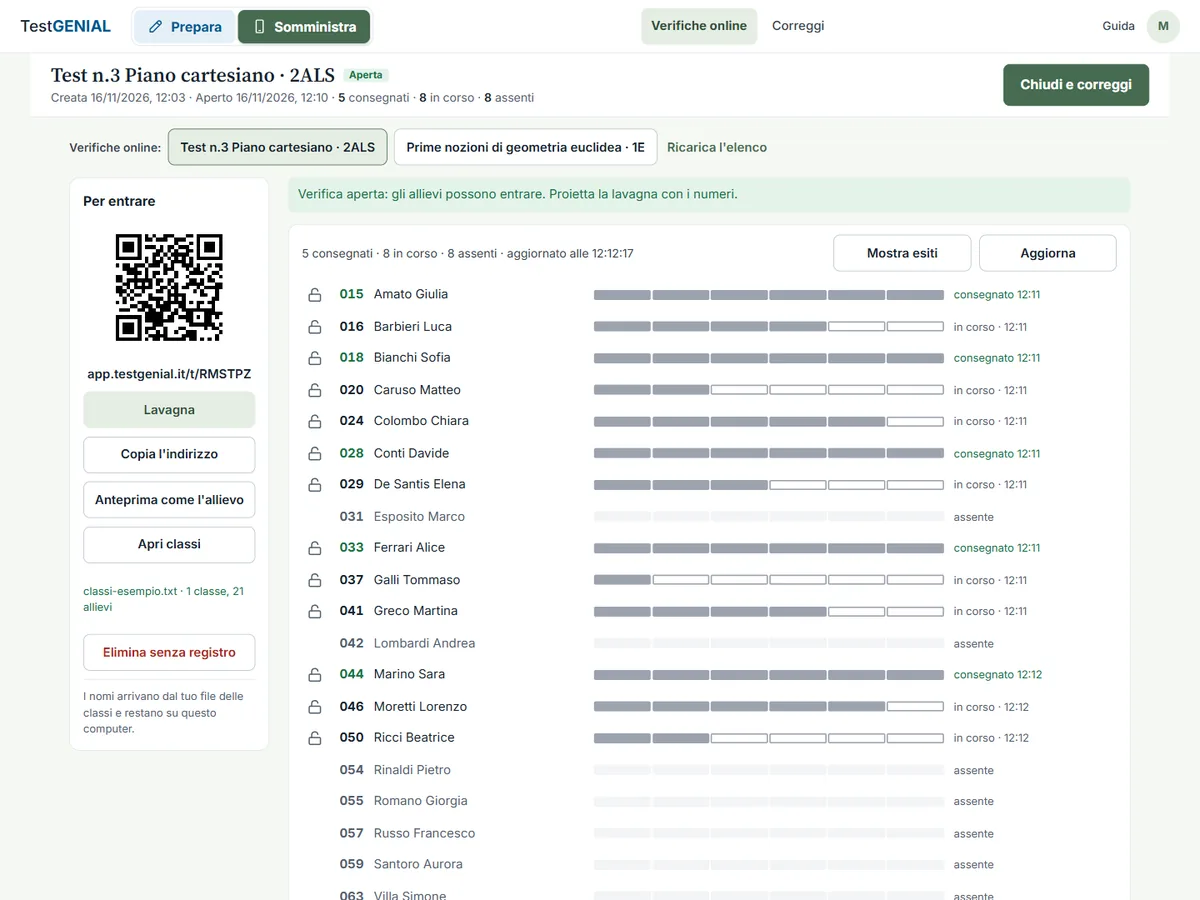
On the online test you see in real time who has joined and who has submitted.
- The Board shows the list with the QR code to project; the preview shows the test as the student sees it.
- Unblock a student by freeing their number.
- Close and grade in one click: download the register as PDF and the grading as Excel.
- For paper, the Excel sheet calculates scores and marks and includes statistics and analysis.
And also
What you find around it.
Question catalogue
The questions in your files are organized automatically by subject, area and topic, ready to reuse in new tests.
Classes and profile
Save your classes (student names stay only on your PC), your marking scale and the school logo.
Five languages
Interface in Italian, English, French, Spanish and German.